If you’re an Obsidian user, you already know how powerful it is for note-taking, PKM, and productivity. But there’s one area where Obsidian still struggles: mobile usability.
Opening a specific note on Android often takes several taps, and navigating through folders or bookmarks can feel slow compared to desktop.
As a daily Obsidian user myself, I found this incredibly frustrating — especially when I just needed to quickly open a bookmarked note on the go. So I built a solution directly into VaultMate, the Android app that brings your Obsidian vault to mobile:
🚀 A New VaultMate Feature: Android Home-Screen Widget for Bookmarked Notes
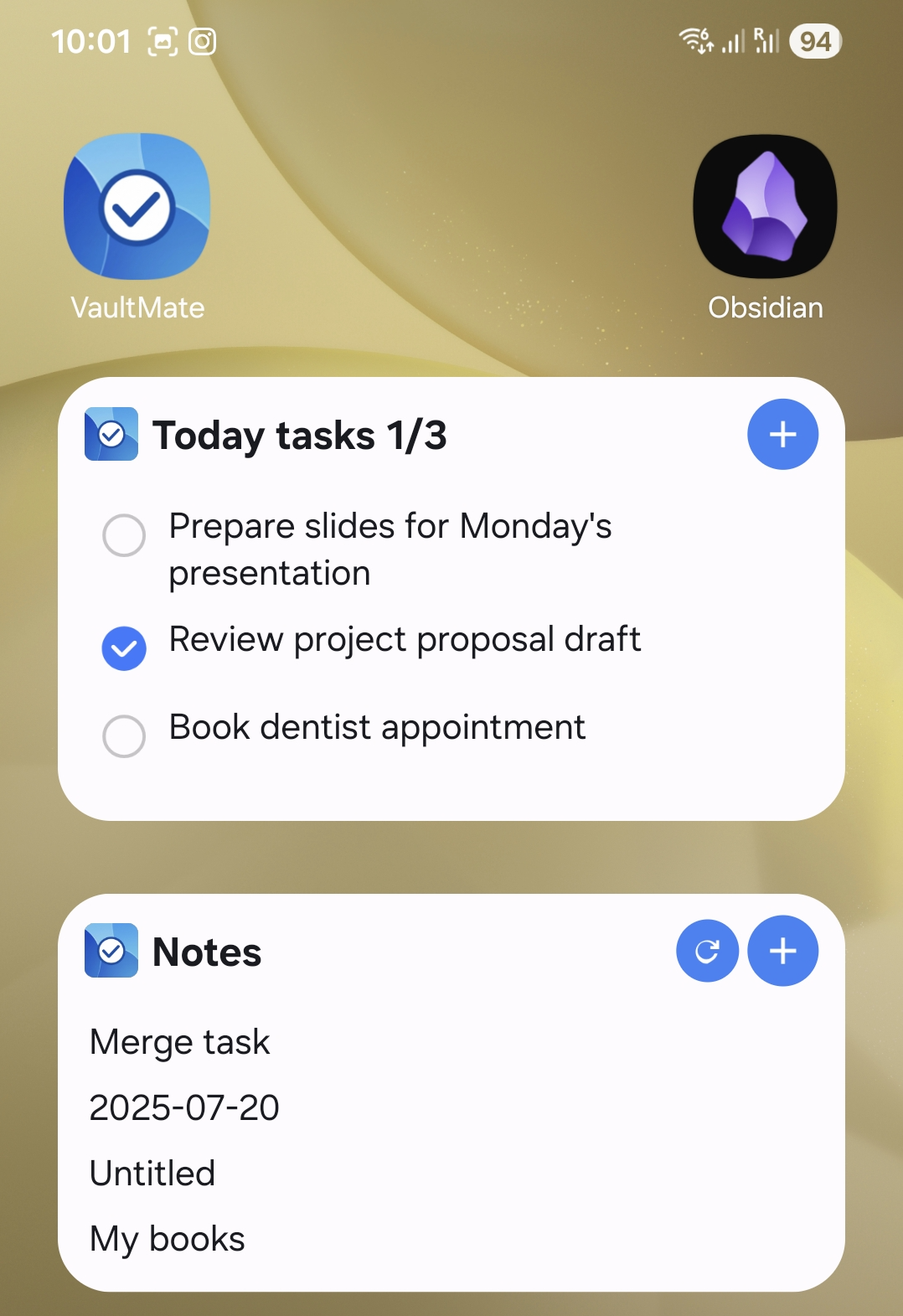
With the new VaultMate widget, all your Obsidian bookmarks can now live right on your Android home screen, giving you one-tap access to the notes you use most.
No more:
- Opening the app
- Navigating through folders
- Searching manually
- Hunting through the sidebar
Now, everything important is accessible instantly.
🔥 Why This Widget Changes the Mobile Obsidian Experience
Here are the biggest improvements our users report:
1. True one-tap access
Your important notes — daily notes, project files, habit trackers, templates — open instantly from the home screen.
2. Faster workflow on the go
Whether you’re at work, traveling, or quickly jotting something down, speed matters. Mobile note-taking should be frictionless.
3. Perfect for GTD and productivity systems
If you rely on bookmarks to manage tasks or projects, this widget keeps your system right in front of you.
4. Works with any Obsidian vault
VaultMate reads your vault files directly — no syncing required, no API, no limitations.
📱 How the Widget Works
- Add the VaultMate widget to your Android home screen
- Select “Bookmarked Notes”
- Your bookmarks appear automatically
- Tap any note to open it instantly in VaultMate
That’s it — simple, clean, fast.
💡 What’s Next? Your Feedback Wanted!
This is just the first version of the widget, and I’d love to make it even better.
If you could design your ideal Obsidian widget, what features would you want?
Some ideas already on the roadmap:
- Customizable layouts
- Color-coded notes
- Quick actions (e.g., add task, open today’s note)
- Multiple widgets with different note groups
If you have suggestions or want to influence the next update, I’d love to hear from you.
🌟 Why I Built This Feature
I created VaultMate because mobile use of Obsidian often feels clunky.
The goal of VaultMate is simple: make your Obsidian vault actually convenient on mobile, without changing how you work.
The widget is another step toward that mission — giving you more speed, more flexibility, and more control over your notes.
🧭 Try the VaultMate Widget Today
If you’re using VaultMate already, you can add the widget right now from your Android home screen.
If you’re new to VaultMate, this is the perfect time to try it.
VaultMate makes your Obsidian vault fast, intuitive, and powerful on mobile — the way it should be.